Play the brand-new Dance Mat Typing game to practise your touch-typing!

Let's learn and practise our typing skills
Build KS2 Computing skills by learning how to touch type all the letters on the keyboard.

Use your touch-typing skills to help Billie travel through time and space in search of amazing dancers to create the ultimate dance group and win the Mega Talent Show!
There are ten worlds to play, each divided into four levels. New friends you’ll meet in each world will show you the correct way to type each key and share their dance skills. You’ll start with the home keys and once you’ve mastered the home row, you’ll move to the keys on the top and bottom rows of the keyboard.
Are you ready to type your way to the Mega Talent Show stage?
How do I play Dance Mat Typing?

Story mode: Each world starts with a warm-up in Bust a Move. Learn new finger positions and practise typing the falling letters and symbols to share new moves with Billie.
Then, it’s time to Dance Dash with some new friends. Type the words as they appear on the screen.
Next, it’s time to collect some tickets for the upcoming mini show in Ticket Tear. If you type the word without making a mistake, you’ll collect a gold VIP ticket!
Finally, each world ends with a Mini Show where you are challenged to take to the stage and type the words and sentences on screen using the correct finger positions.
Challenge mode: Challenge yourself to practise and embed what you’ve learnt and improve your typing speed playing Solo or play against a friend in a typing dance-off with Pass and Play.
There are lots of common exception words you can practise typing throughout the game. Earn badges and unlock flair to customise the dance group as you play.
Looking for specific keys to touch-type?
If there are certain keys that you would like to learn and practise your touch-typing with, you can jump straight into any world of the game below:


Why should I learn touch-typing?
When you can do it well, touch-typing is the fastest way to write. Many people quickly learn to touch type faster than they can write with a pen.
The important things to remember are:
find a comfortable working position with support for your wrist and forearm
try not to look at your hands
use the correct fingers
there's no need to rush!

Health and safety
Sit comfortably with your back up straight and your feet on the ground!
Make sure you take rests and shake your hands and arms to relax your muscles if they get tired.
Happy typing!
You will need a physical keyboard and headphones/speakers to fully enjoy this game.
Looking for the original Dance Mat Typing game?
You can currently still play the original Dance Mat Typing game using the links below.
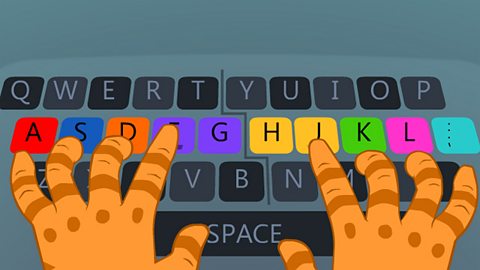
Level 1: Home row and some upper row keys.
■ Stage 1: f d s a j k l ; g h
■ Stage 2: e i
■ Stage 3: r u
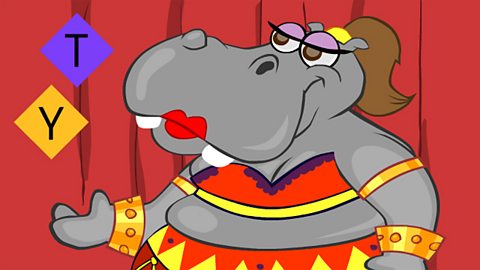
Level 2: Six new keys on the upper row.
■ Stage 4: t y
■ Stage 5: w o
■ Stage 6: q p
Level 3: Six new keys on the bottom row.
■ Stage 7: v m
■ Stage 8: b n
■ Stage 9: c ,
Level 4: Remaining bottom row keys, capital letters and some punctuation keys.
■ Stage 10: x z '
■ Stage 11: / .
■ Stage 12: Shift keys - how to make capital letters
Play more games
Guardians: Defenders of Mathematica
Bitesize: KS2 Maths
Horrible Science: Stinky Space
Bitesize: KS2 Science
Why teach touch typing?
An article for primary teachers about the benefits to pupils of learning how to touch type, with tips from experts and links to free resources.

Play BBC Bitesize educational games! game
Fun, interactive games for children aged 4-11, with maths, English, science, history and many more subjects.
More on Information technology
Find out more by working through a topic
- count2 of 17
- count3 of 17
- count4 of 17
- count5 of 17